
APP SETUP GUIDE · BYD
BYD: Z1 reads OBD directly, E1 works with Zhadi
The two products take different paths: Z1-BYD reads OBD directly; E1-BYD receives data from the in-car Zhadi app over BLE, with the OBD port used for power only.
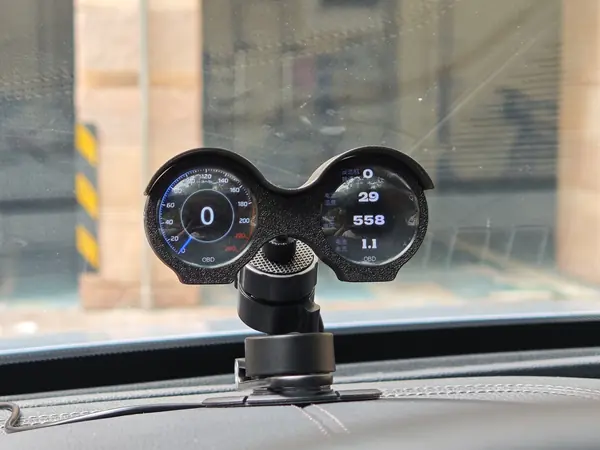
REAL PHOTO
BYD interior · Z1
Z1-BYD setup
- 1Confirm the vehicle is a 2021 Tang DM-i
- 2Plug Z1 into the OBD port
- 3Turn on ACC or ignition
- 4Open the E仪表 app and connect to Z1-BYD
- 5View 22 values including engine and battery data, plus the VIN
Compatible with the 2021 Tang DM-i only; no Zhadi required; SOH is not promised.
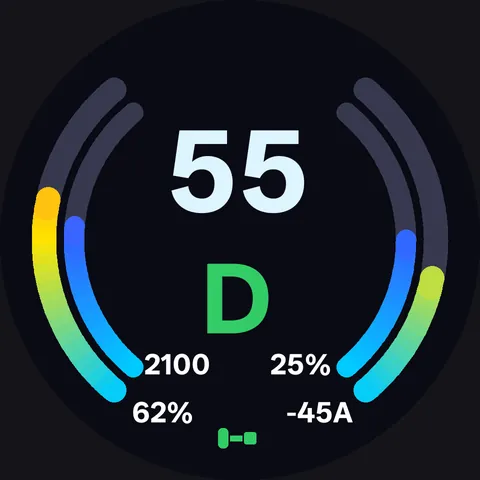
E1-BYD setup
- 1Install the Zhadi APK on the DiLink 4.0 head unit
- 2Plug in E1 for power
- 3Open Zhadi on the head unit and follow the prompts to connect E1
- 4Zhadi sends speed, gear, time, state of charge, range, odometer, four tire pressures, door locks and more over BLE
- 5Navigation arrows and distance come from the head unit's built-in Amap, not from E1
E1-BYD has been verified on DiLink 4.0; confirm other head-unit versions first. The OBD port is used for power only and does not read CAN; UI is in English.
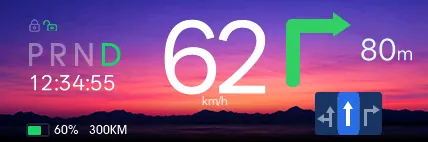
UI illustrative; navigation data comes from the head unit's built-in Amap.
In-car Zhadi APK
BYD · DiLinkZhadi is a third-party app installed on the BYD head unit that sends vehicle data to E1 over BLE. The phone-side E仪表 app is only used for firmware updates, background images, brightness and similar settings.
Third-party head-unit app; confirm the source and compatibility before installing.
Notes
- Z1-BYD supports the 2021 Tang DM-i only.
- E1-BYD has been verified on DiLink 4.0; confirm other head-unit versions first.
- Navigation arrows and distance on E1-BYD come from the head unit's built-in Amap (BYD edition); road names and ETA are not promised.
- SOH / battery health is not promised.
Not sure if your vehicle is supported?
Send us the model, model year and the version you need; we will confirm before you order.
Contact us